egui_plotter/lib.rs
1//! [](./LICENSE.txt)
2//! [](https://crates.io/crates/egui-plotter)
3//! [](https://docs.rs/egui-plotter)
4//! [](https://openapeshop.org/)
5//! ## *simple to use utilties for integrating plotter into egui*
6//!
7//! [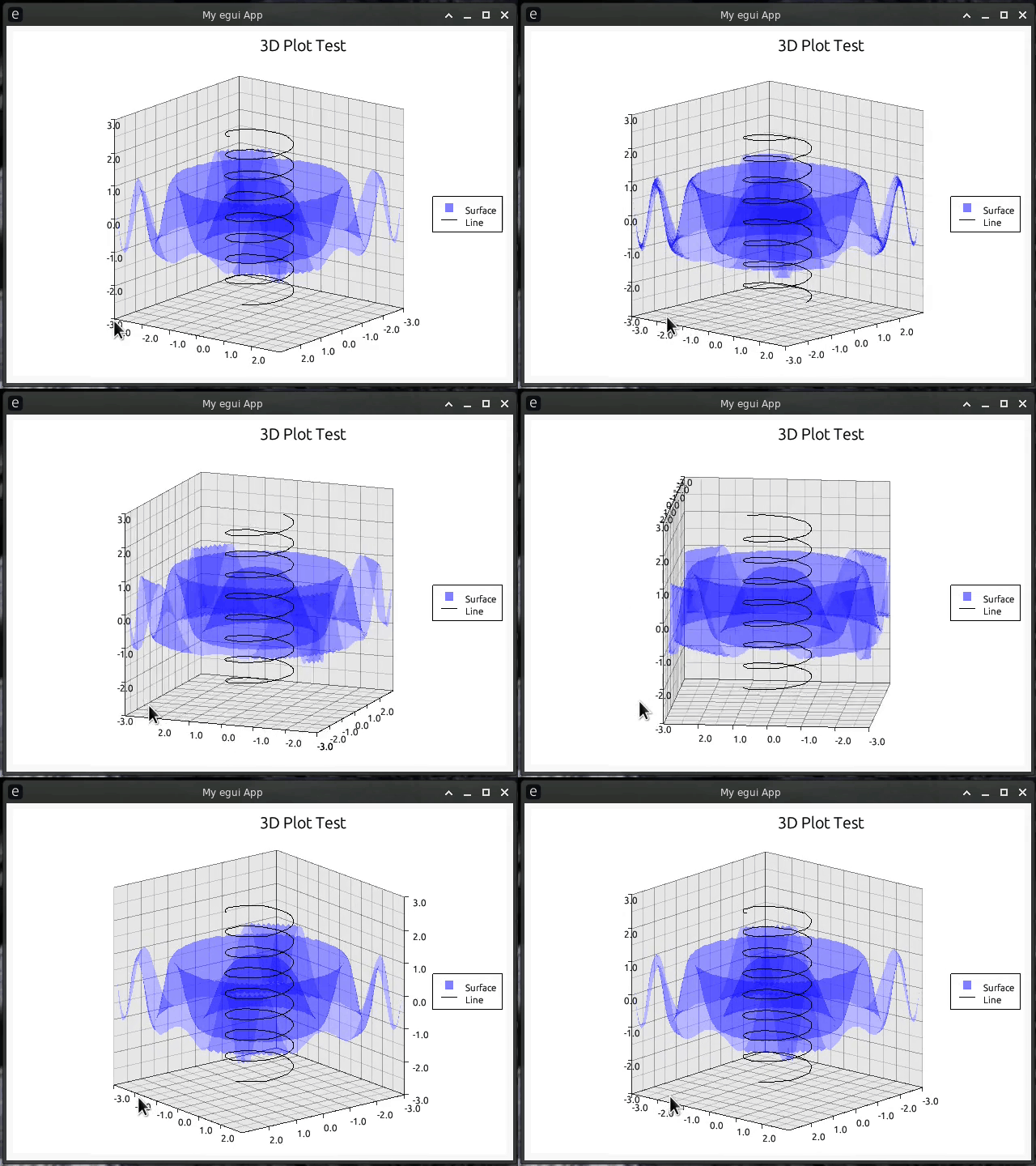](https://github.com/Gip-Gip/egui-plotter/blob/main/examples/3d.rs)
8//! [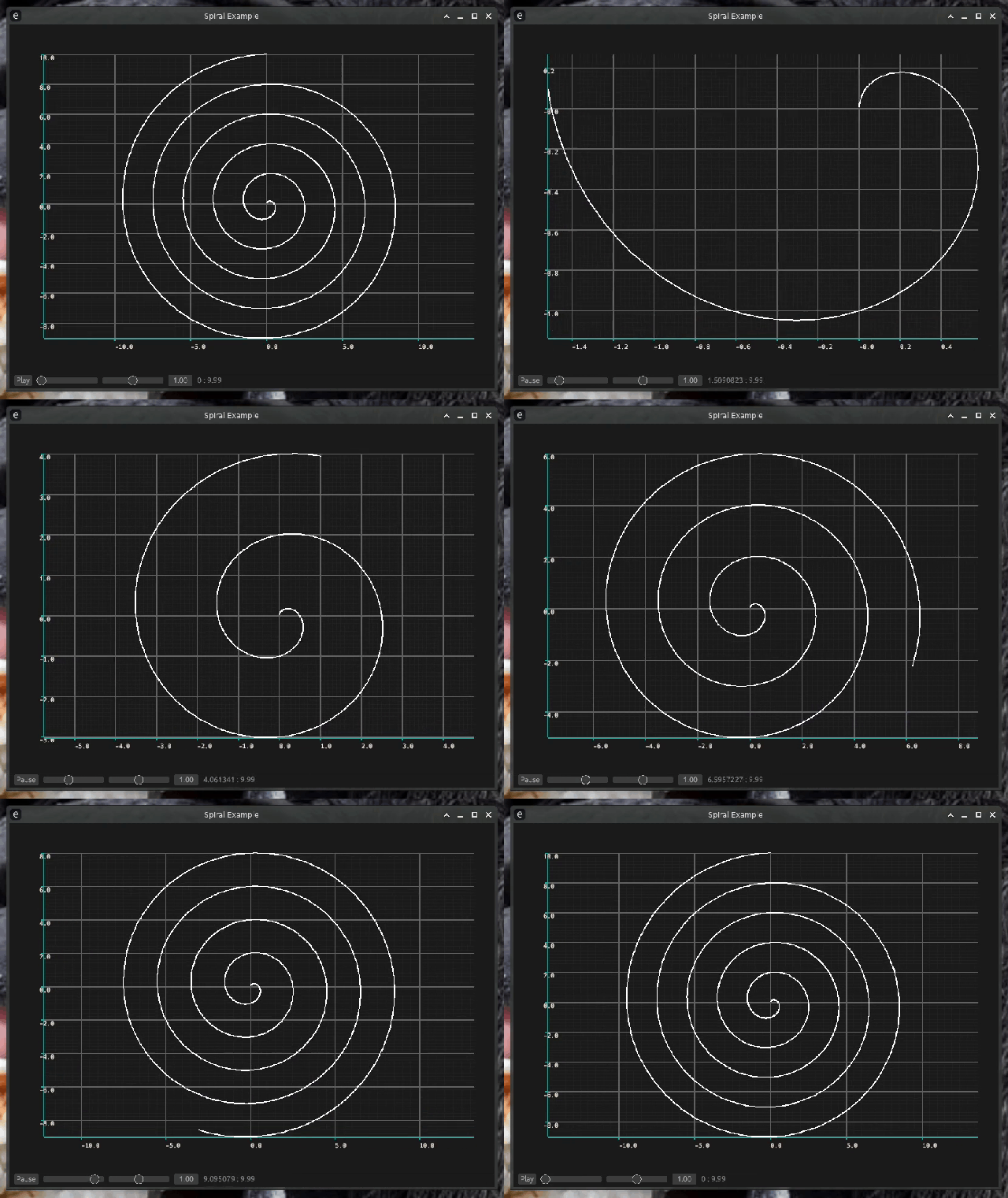](https://github.com/Gip-Gip/egui-plotter/blob/main/examples/spiral.rs)
9//!
10//! ## Usage
11//!
12//! This crate can be used by adding `egui-plotter` to the dependencies in your
13//! project's `Cargo.toml`.
14//!
15//! ```toml
16//! [dependencies]
17//! egui-plotter = "0.3.0"
18//! ```
19//!
20//! **It is also heavily recommended you disable feathering in your egui context,
21//! as not only does it slow things down but it causes artifacts with certain plots.**
22//!
23//! See line 24 example below to see how to disable feathering.
24//!
25//! ### Features
26//!
27//! * `timechart` - Includes all the pre-made animatable charts like XyTimeData and TimeData.
28//!
29//! ## Examples
30//!
31//! Here's a simple plotter example being run on native eframe.
32//! Derived from
33//! [eframe](https://docs.rs/eframe/0.22.0/eframe/index.html#usage-native) and
34//! [plotters](https://docs.rs/plotters/0.3.4/plotters/index.html#quick-start).
35//!
36//! ```rust
37//! use eframe::egui::{self, CentralPanel, Visuals};
38//! use egui_plotter::EguiBackend;
39//! use plotters::prelude::*;
40//!
41//! fn main() {
42//! let native_options = eframe::NativeOptions::default();
43//! eframe::run_native(
44//! "Simple Example",
45//! native_options,
46//! Box::new(|cc| Ok(Box::new(Simple::new(cc)))),
47//! )
48//! .unwrap();
49//! }
50//!
51//! struct Simple;
52//!
53//! impl Simple {
54//! fn new(cc: &eframe::CreationContext<'_>) -> Self {
55//! // Disable feathering as it causes artifacts
56//! let context = &cc.egui_ctx;
57//!
58//! context.tessellation_options_mut(|tess_options| {
59//! tess_options.feathering = false;
60//! });
61//!
62//! // Also enable light mode
63//! context.set_visuals(Visuals::light());
64//!
65//! Self
66//! }
67//! }
68//!
69//! impl eframe::App for Simple {
70//! fn update(&mut self, ctx: &egui::Context, _frame: &mut eframe::Frame) {
71//! CentralPanel::default().show(ctx, |ui| {
72//! let root = EguiBackend::new(ui).into_drawing_area();
73//! root.fill(&WHITE).unwrap();
74//! let mut chart = ChartBuilder::on(&root)
75//! .caption("y=x^2", ("sans-serif", 50).into_font())
76//! .margin(5)
77//! .x_label_area_size(30)
78//! .y_label_area_size(30)
79//! .build_cartesian_2d(-1f32..1f32, -0.1f32..1f32)
80//! .unwrap();
81//!
82//! chart.configure_mesh().draw().unwrap();
83//!
84//! chart
85//! .draw_series(LineSeries::new(
86//! (-50..=50).map(|x| x as f32 / 50.0).map(|x| (x, x * x)),
87//! &RED,
88//! ))
89//! .unwrap()
90//! .label("y = x^2")
91//! .legend(|(x, y)| PathElement::new(vec![(x, y), (x + 20, y)], &RED));
92//!
93//! chart
94//! .configure_series_labels()
95//! .background_style(&WHITE.mix(0.8))
96//! .border_style(&BLACK)
97//! .draw()
98//! .unwrap();
99//!
100//! root.present().unwrap();
101//! });
102//! }
103//! }
104//! ```
105//!
106//! ### Charts
107//!
108//! Alternatively, the above example can be made with a Chart type to allow easy
109//! user interactivity with your plotter charts. You can either make your own chart or
110//! use a prebuilt chart type included in the `charts` module.
111//!
112//! ```rust
113//! use eframe::egui::{self, CentralPanel, Key, Visuals};
114//! use egui_plotter::{Chart, MouseConfig};
115//! use plotters::prelude::*;
116//! use std::ops::Range;
117//!
118//! fn main() {
119//! let native_options = eframe::NativeOptions::default();
120//! eframe::run_native(
121//! "ParaChart Example",
122//! native_options,
123//! Box::new(|cc| Ok(Box::new(ParaChart::new(cc)))),
124//! )
125//! .unwrap();
126//! }
127//!
128//! struct ParaChart {
129//! chart: Chart<(Range<f32>, Range<f32>)>,
130//! }
131//!
132//! impl ParaChart {
133//! fn new(cc: &eframe::CreationContext<'_>) -> Self {
134//! // Disable feathering as it causes artifacts
135//! let context = &cc.egui_ctx;
136//!
137//! context.tessellation_options_mut(|tess_options| {
138//! tess_options.feathering = false;
139//! });
140//!
141//! // Also enable light mode
142//! context.set_visuals(Visuals::light());
143//!
144//! // We use data to adjust the range of the chart. This can be useful for
145//! // line plots where the X represents time and we want to play through
146//! // the X, but that is not what we are using it for here
147//! let chart = Chart::new((-3f32..3f32, -0.5f32..3f32))
148//! .mouse(MouseConfig::enabled())
149//! .builder_cb(Box::new(|area, _t, ranges| {
150//! // Build a chart like you would in any other plotter chart.
151//! // The drawing area and ranges are provided by the callback,
152//! // but otherwise everything else is the same.
153//!
154//! let (x_range, y_range) = ranges;
155//!
156//! let mut chart = ChartBuilder::on(area)
157//! .caption("y=x^2", ("sans-serif", 50).into_font())
158//! .margin(5)
159//! .x_label_area_size(30)
160//! .y_label_area_size(30)
161//! .build_cartesian_2d(x_range.to_owned(), y_range.to_owned())
162//! .unwrap();
163//!
164//! chart.configure_mesh().draw().unwrap();
165//!
166//! chart
167//! .draw_series(LineSeries::new(
168//! (-50 * (x_range.end as i32)..=(50 * x_range.end as i32))
169//! .map(|x| x as f32 / 50.0)
170//! .map(|x| (x, x * x)),
171//! &RED,
172//! ))
173//! .unwrap()
174//! .label("y = x^2")
175//! .legend(|(x, y)| PathElement::new(vec![(x, y), (x + 20, y)], RED));
176//!
177//! chart
178//! .configure_series_labels()
179//! .background_style(WHITE.mix(0.8))
180//! .border_style(BLACK)
181//! .draw()
182//! .unwrap();
183//! }));
184//!
185//! Self { chart }
186//! }
187//! }
188//!
189//! impl eframe::App for ParaChart {
190//! fn update(&mut self, ctx: &egui::Context, _frame: &mut eframe::Frame) {
191//! CentralPanel::default().show(ctx, |ui| {
192//! // Press 1 for the range -1..1, 2 for -2..2, 3 for -3..3
193//! ui.input(|input| {
194//! if input.key_down(Key::Num1) {
195//! *self.chart
196//! .get_data_mut() = (-1f32..1f32, -0.5f32..1f32);
197//! }
198//! if input.key_down(Key::Num2) {
199//! *self.chart
200//! .get_data_mut() = (-2f32..2f32, -0.5f32..2f32);
201//! }
202//!
203//! if input.key_down(Key::Num3) {
204//! *self.chart
205//! .get_data_mut() = (-3f32..3f32, -0.5f32..3f32);
206//! }
207//! });
208//!
209//! self.chart.draw(ui);
210//! });
211//! }
212//! }
213//! ```
214
215mod backend;
216mod chart;
217pub mod charts;
218
219pub use backend::{EguiBackend, EguiBackendError};
220pub use chart::{
221 Chart, MouseButton, MouseConfig, Transform, DEFAULT_MOVE_SCALE, DEFAULT_SCROLL_SCALE,
222};
223
224#[cfg(feature = "timechart")]
225use std::ops::Range;
226
227#[cfg(feature = "timechart")]
228fn mult_range(range: Range<f32>, mult: f32) -> Range<f32> {
229 let delta = range.end - range.start;
230
231 let half_delta = delta / 2.0;
232
233 let midpoint = range.end - half_delta;
234
235 let adjusted_delta = half_delta * mult;
236
237 let start = midpoint - adjusted_delta;
238 let end = midpoint + adjusted_delta;
239
240 Range { start, end }
241}