
duodiff-0.4.0 is not a library.
duodiff


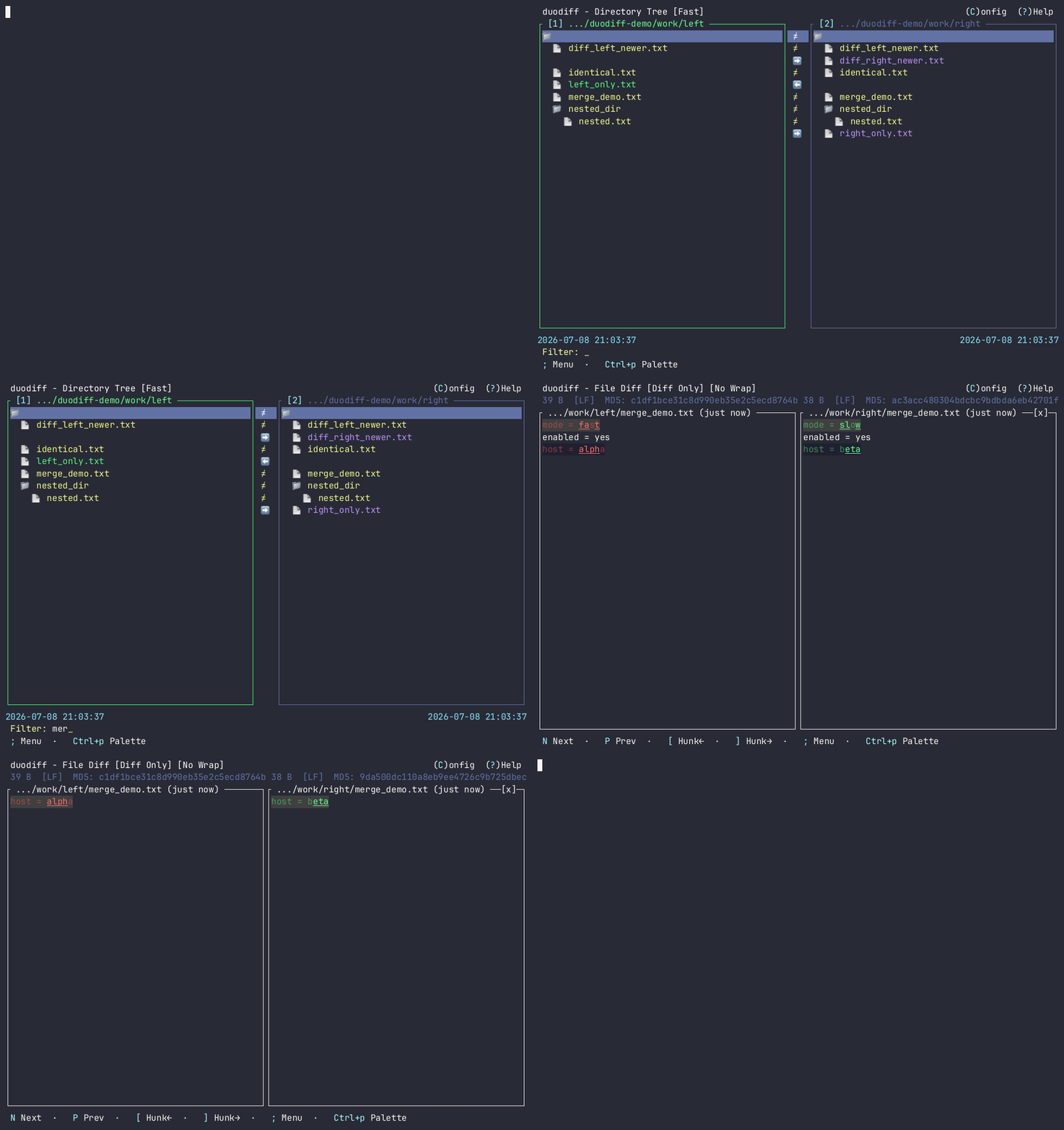
duodiff is a fast, cross-platform terminal user interface (TUI) directory comparison tool written in Rust.
Features
- Side-by-Side Tree View: Balanced, clean double-pane tree view aligning matched, differing, and missing folders/files.
- Asynchronous Scanner: Directory comparison and checksum calculations run in non-blocking background threads, keeping the TUI completely fluid and responsive.
- Vim Keys & Mouse Support: Navigable via arrow keys,
hjkl,Ctrl+f/Ctrl+bpage scroll, tab-focus switching (1/2), mouse clicks (double-click to open/expand), and synchronized mouse scrolling. - Flexible Comparison Modes:
- Fast mode: Compares file size and modification time.
- Precise mode: Compares file contents using streaming MD5 checksums.
- Built-in Diff View: In-app color-coded side-by-side file contents diff with intraline highlighting, next/previous change jumps, and per-hunk copy (
[/]). - Interactive File Sync: Copy files or folders between panes with
L/R(confirmation required). - Filter & Search: Inline
/filter bar, with optional diffs-only mode. - Directory Swap: Swap left and right comparison roots with
sand re-scan. - External Diff Tool & Editor: Configure and launch external diff tools (
vim,nvim,code,meld,bcomp,smerge,ksdiff,difft) to compare differing file pairs, or open the selected file in your external editor (using$VISUALor$EDITOR). - Configuration Screen & Persistence: A built-in configuration UI to detect system-installed diff tools and save your selection to
~/.config/duodiff/config.toml(honorsXDG_CONFIG_HOMEwhen set). - Right-Click Context Menu / Palette: Mouse context menu and unified command palette (
;/Ctrl+p). - Help: Topic-based in-app Help (
?). - Self-Upgrade: Optional background update check and
duodiff --upgradefor standalone installs.
Installation
Recommended — download a checksummed prebuilt binary (no Rust toolchain):
|
On Windows, use the PowerShell installer instead of piping install.sh into bash.
Homebrew, Scoop, crates.io, manual download, build-from-source, and cargo binstall are documented in docs/INSTALL.md.
Keyboard & Mouse Shortcuts
A comprehensive list of keyboard shortcuts and mouse interactions for navigating the directory tree, viewing file diffs, and managing files/folders is documented in docs/SHORTCUTS.md.