Expand description
A Ratatui widget to show a snappy popup overlay. Part of the tui-widgets suite by Joshka.
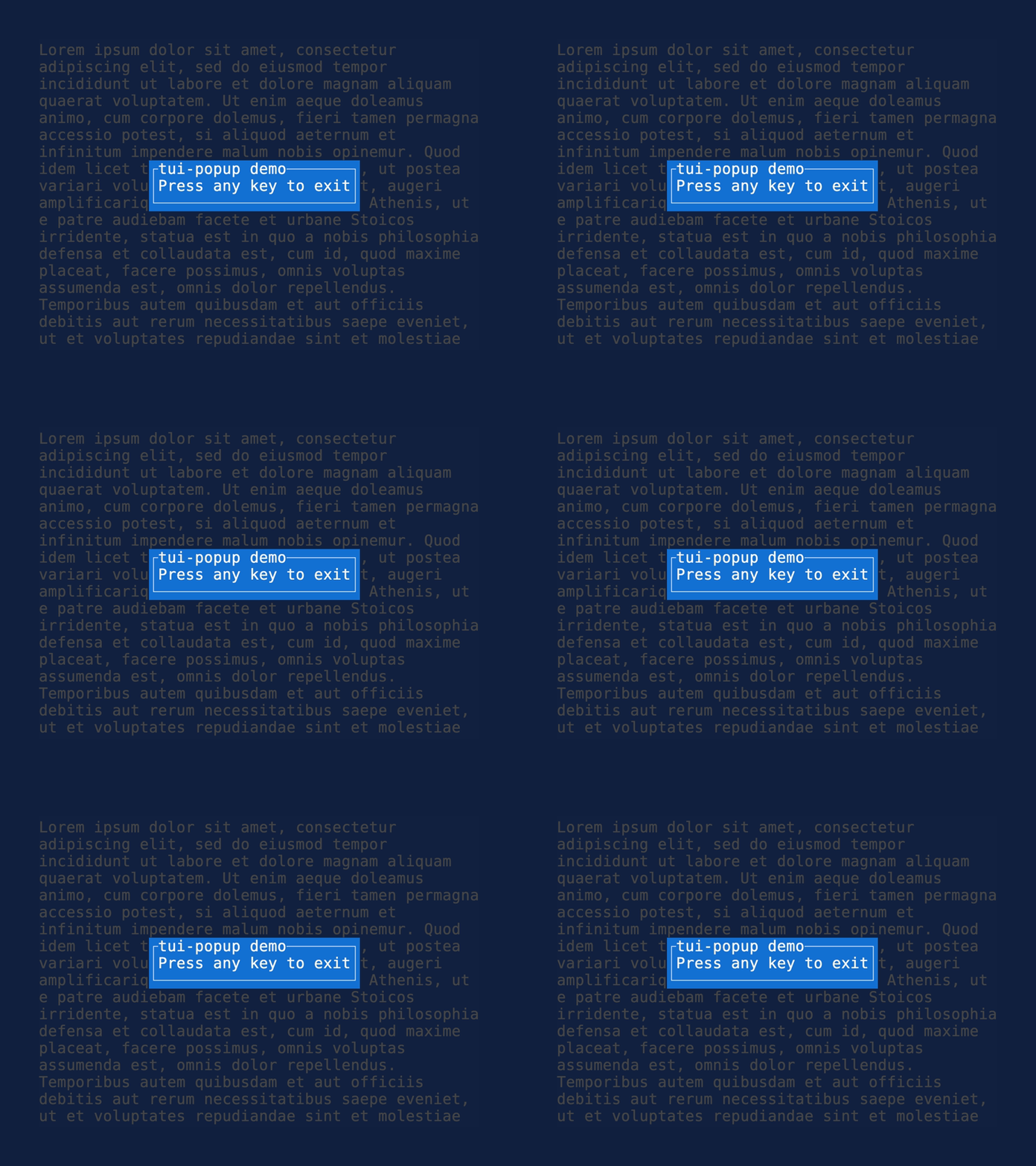
The popup widget is a simple widget that renders a popup in the center of the screen.






GitHub Repository · API Docs · Examples · Changelog · Contributing
§Installation
cargo add tui-popup§Usage
Build a Popup with content and render it over your frame.
use ratatui::Frame;
use ratatui::style::{Style, Stylize};
use tui_popup::Popup;

fn render_popup(frame: &mut Frame) {
    let popup = Popup::new("Press any key to exit")
        .title("tui-popup demo")
        .style(Style::new().white().on_blue());
    frame.render_widget(popup, frame.area());
}§State
The widget supports storing the position of the popup in PopupState. This is experimental and
the exact API for this will likely change.
use crossterm::event::{KeyCode, KeyEvent};
use ratatui::Frame;
use ratatui::style::{Style, Stylize};
use tui_popup::{Popup, PopupState};

fn render_stateful_popup(frame: &mut Frame, popup_state: &mut PopupState) {
    let popup = Popup::new("Press any key to exit")
        .title("tui-popup demo")
        .style(Style::new().white().on_blue());
    frame.render_stateful_widget(popup, frame.area(), popup_state);
}

fn handle_key(event: KeyEvent, state: &mut PopupState) {
    match event.code {
        KeyCode::Up => state.move_up(1),
        KeyCode::Down => state.move_down(1),
        KeyCode::Left => state.move_left(1),
        KeyCode::Right => state.move_right(1),
        _ => {}
    }
}
The popup can automatically handle being moved around by the mouse, by passing in the column and row of mouse up, down, or drag events.
use crossterm::event::{Event, MouseButton, MouseEventKind};
use tui_popup::PopupState;

fn handle_mouse(event: Event, popup_state: &mut PopupState) {
    if let Event::Mouse(event) = event {
        match event.kind {
            MouseEventKind::Down(MouseButton::Left) => {
                popup_state.mouse_down(event.column, event.row)
            }
            MouseEventKind::Up(MouseButton::Left) => {
                popup_state.mouse_up(event.column, event.row);
            }
            MouseEventKind::Drag(MouseButton::Left) => {
                popup_state.mouse_drag(event.column, event.row);
            }
            _ => {}
        }
    }
}
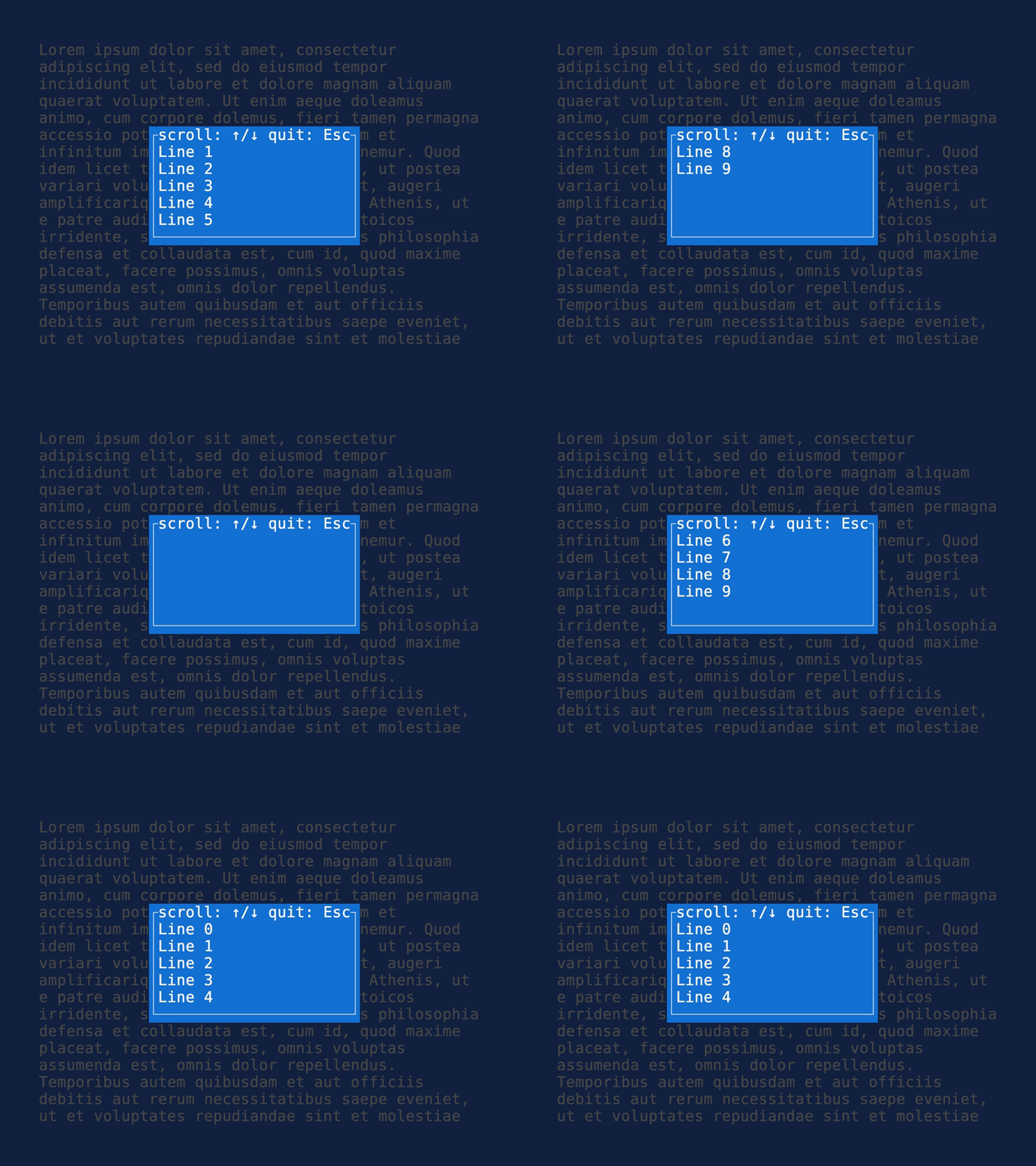
The popup also supports rendering arbitrary widgets by implementing KnownSize (or wrapping
them with KnownSizeWrapper). This makes it possible to support wrapping and scrolling in a
Paragraph widget, or scrolling any amount of widgets using tui-scrollview.
use ratatui::prelude::*;
use ratatui::text::{Span, Text};
use ratatui::widgets::Paragraph;
use tui_popup::{KnownSizeWrapper, Popup};

fn render_scrollable_popup(frame: &mut Frame, scroll: u16) {
    let lines: Text = (0..10).map(|i| Span::raw(format!("Line {}", i))).collect();
    let paragraph = Paragraph::new(lines).scroll((scroll, 0));
    let sized_paragraph = KnownSizeWrapper {
        inner: paragraph,
        width: 21,
        height: 5,
    };
    let popup = Popup::new(sized_paragraph)
        .title("scroll: ↑/↓ quit: Esc")
        .style(Style::new().white().on_blue());
    frame.render_widget(popup, frame.area());
}
§Features
- automatically centers
- automatically sizes to content
- style popup
- move the popup (using state)
- handle mouse events for dragging
- move to position
- resize
- set border set / style
- add close button
- add nicer styling of header etc.
- configure text wrapping in body to conform to a specific size
§More widgets
For the full suite of widgets, see tui-widgets.
§Feature flags
crossterm— Enables processing crossterm mouse events usingPopupState::handle_mouse_event
Structs§
- Known
Size Wrapper - The
KnownSizeWrapperstruct wraps a widget and provides a fixed size for it. - Popup
- Configuration for a popup.
- Popup
State
Enums§
Traits§
- Known
Size - A trait for widgets that have a fixed size.