# Drawing Shapes

There are two main spaces that shapes can be drawn to.

1. Screen space: coordinates are relative to the top left of the screen, and one unit always corresponds to one pixel. Positive y is down, positive x is right.
2. World space: coordinates are relative to the position and scale of the `Camera2D`. Moving the camera changes what is shown on screen, and one world unit does not always correspond to one pixel. By default, world coordinate `(0, 0)` is in the center of the screen.

Every shape drawing function comes in three variants:

- `draw_<shape>(...)` — draws in screen space
- `draw_<shape>_world(...)` — draws in world space
- `draw_<shape>_to(..., renderer)` — draws to a specific renderer

## Shapes

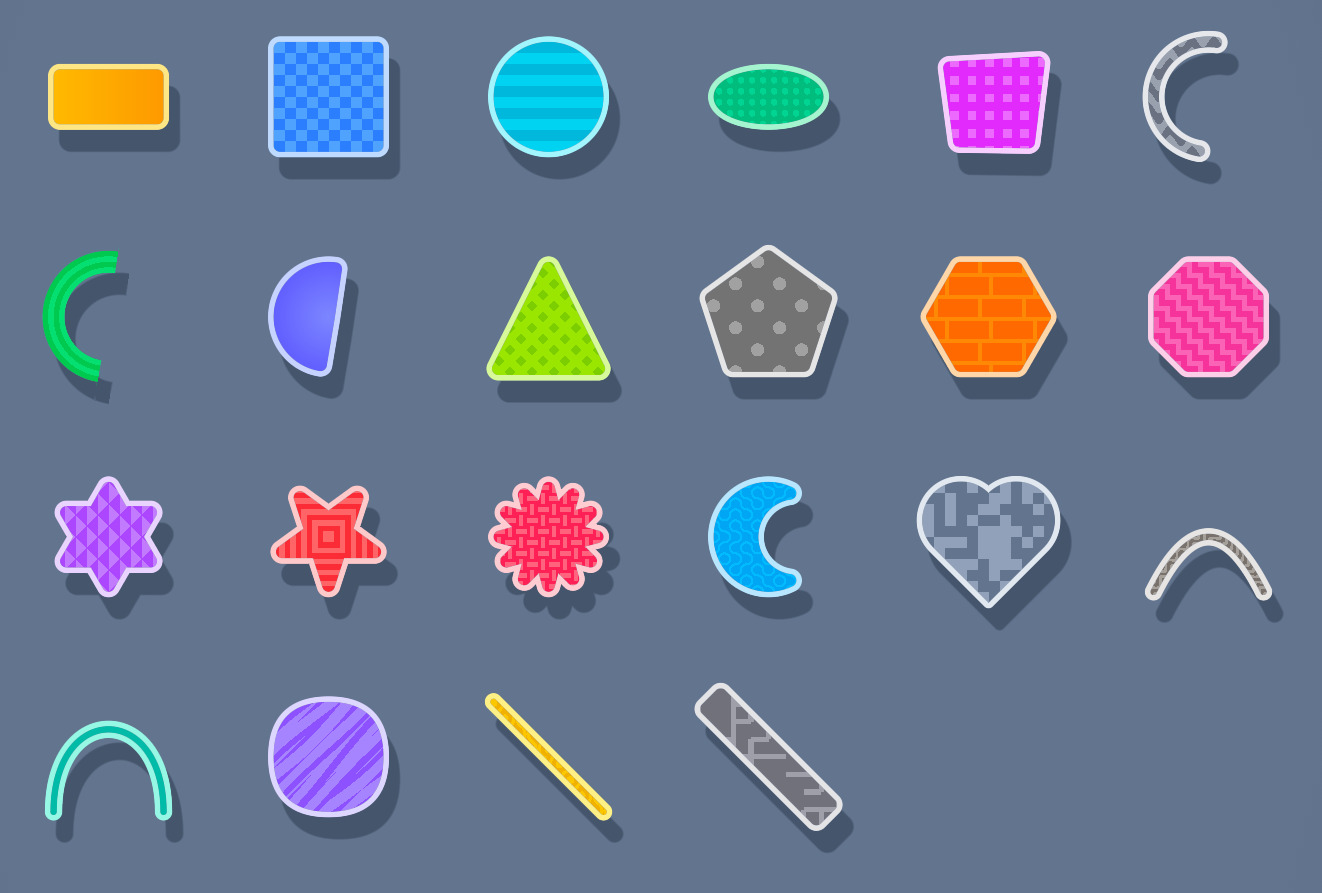
The following shapes are available:

- Circles and ellipses: `draw_circle`, `draw_ellipse`, `draw_circle_outline`, `draw_ellipse_outline`, `draw_circle_with_outline`, `draw_ellipse_with_outline`
- Sectors and arcs: `draw_sector`, `draw_sector_outline`, `draw_sector_with_outline`, and ellipse variants of each. Angles are in radians.
- Rings: `draw_ring`, `draw_full_ring`, `draw_arc`
- Rectangles and squares: `draw_rect`, `draw_square`, with optional rotation and outline variants. Rounded corners are supported via `draw_rounded_rect` and `draw_rounded_square`.
- Polygons: `draw_poly` for arbitrary n-sided regular polygons, `draw_hexagon`, `draw_hexagon_pointy` for flat and pointy-top hexagons.
- Lines: `draw_line`, `draw_capped_line` (with rounded ends), `draw_dashed_line`, `draw_zig_zag`, `draw_rounded_line`
- Arrows: `draw_arrow`, `draw_solid_arrow`, `draw_sharp_arrow`, and right-angled variants of each
- Paths: `draw_path` (connected line segments), `draw_connected_path` (with caps at each join), `draw_circle_path` (with circular dots at each point)
- Curves: `draw_quadratic_bezier`, `draw_cubic_bezier`
- Triangles and quads: `draw_tri`, `draw_quad`
- Custom shapes: `draw_custom_shape` builds a mesh from an arbitrary slice of points
- Niche shapes: `draw_pentagon`, `draw_octogon`, `draw_hexagram`, `draw_pentagram`, `draw_star`, `draw_moon`, `draw_heart`, `draw_quadratic_circle`
- Pixels: `draw_pixel`, `draw_pixel_line`
- Metaballs: `draw_metaballs`
- SDFs: `draw_sdf` for drawing an `Sdf` object directly (see [Advanced Shapes](./sdf.md))

## Outlines

Most shapes have outline and with-outline variants:

- `draw_<shape>_outline(...)` — draws just the outline, no fill
- `draw_<shape>_with_outline(...)` — draws the shape with both fill and outline

For example, to draw a square in world space with an outline:

```rust
draw_square_with_outline_world(
    vec2(20.0, 30.0), // top_left
    40.0,             // size
    Color::RED_500,   // fill
    2.0,              // outline thickness
    Color::RED_300,   // outline color
);
```

## Gradients

Multipoint linear gradients can be drawn with `draw_multipoint_gradient`, which takes a list of `GradientPoint`s each with a color and relative width, and an `Orientation` (horizontal or vertical).

For radial gradients and more advanced fill effects, use the `Sdf` type directly (see [Advanced Shapes](./sdf.md)).

---

See: [`/examples/simple.rs`](https://github.com/LilyRL/sge/blob/master/examples/simple.rs)

See: [all shape drawing functions](https://docs.rs/sge/latest/sge/prelude/shapes/index.html)