
Please check the build logs for more information.
See Builds for ideas on how to fix a failed build, or Metadata for how to configure docs.rs builds.
If you believe this is docs.rs' fault, open an issue.
Quaturn
A simple 3D Game Engine in Rust!
Features
3D Model Support: load and manipulate 3D GLTF models
Customizable: Create your own Nodes and use predefined nodes for more specific functionality
Write Your Own Shaders: write your own shaders with GLSL
Easily Add UI's: using egui you can easily set up a UI
Example Images
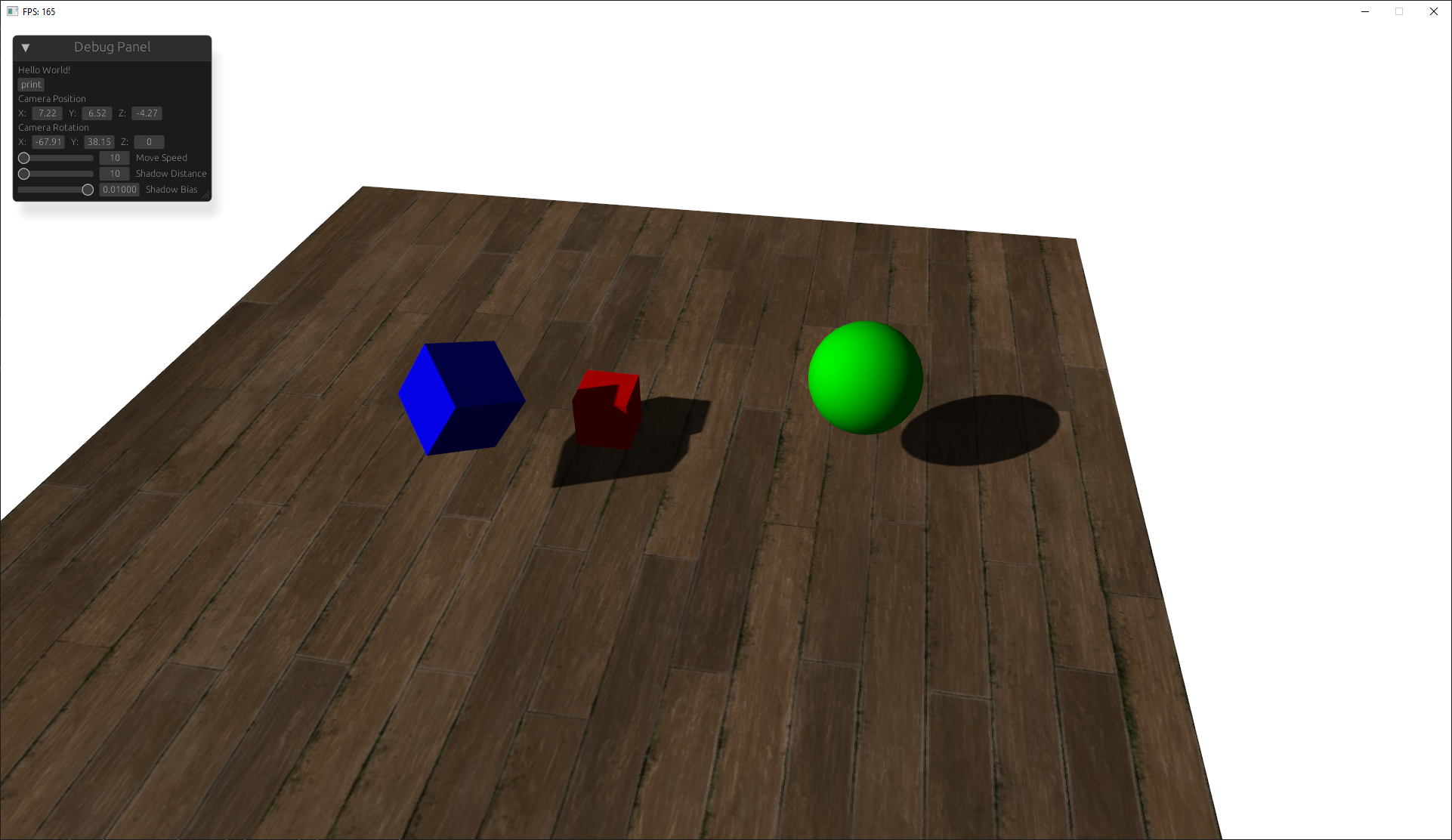
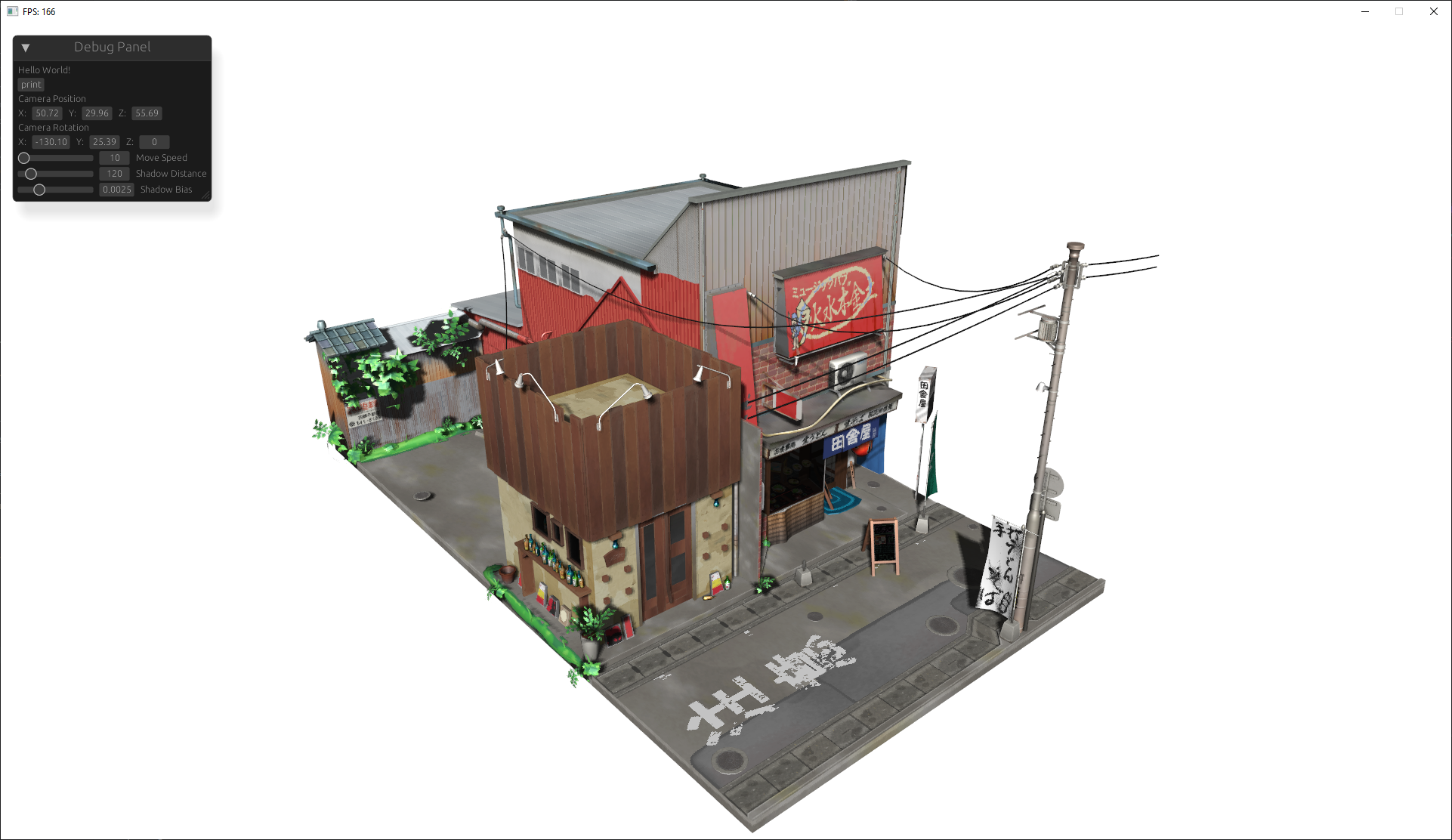 This work is based on "Japanese Restaurant Inakaya" by MGuegan, licensed under CC BY 4.0.
Guide to using the Engine
this guide goes over the basic usage of initializing the engine, adding nodes, and defining custom nodes.
Initialization
to begin initialize the engine with the window title and dimensions:
let mut engine = init;
Add a Model
models are rendered objects that you can load from a gltf file or simply a primitive shape:
engine
.context
.nodes
.add
.define_ready
.define_ready
.apply_transform;
Add a Camera
add a 3D camera to render the scene from its perspective:
engine
.context
.nodes
.add
.define_ready
.define_behavior;
add a shader
you can add a configure shaders in the engine:
let mut shader = engine.context.nodes.add_shader;
shader.set_uniform4f;
Add Lights with Shadows
add a directional light with shadows:
engine.context.nodes.add;
Optionally add a UI with Egui
integrate a UI with egui:
let ui = UIinit;
engine
.add
.define_ui;
Transformations
in order to apply transforms to a node and all of its child nodes you can use a special method that traverses the node tree.
node.apply_transform
Finally Start the Render Loop
start the render loop (this should be last):
engine.begin
Defining your own Nodes
you can define your own nodes using rust traits. when you add a node to the games context it must implement the node trait. using this you can add more functionality
Example: Custom Node
// Implement Node for your custom node
// Optional Ready function that runs when the node it ready
// Optional Behavior funtion that runs on every frame
Shader Uniforms
for building your own shaders the engine applies these uniforms you can also define your own uniforms with
shader.set_uniform
| Uniform Name | Type | Description |
|---|---|---|
diffuse0 |
sampler2D |
Diffuse texture sampler |
specular0 |
sampler2D |
Specular texture sampler |
shadowMap |
sampler2D |
Shadow map texture sampler |
baseColorFactor |
vec4 |
Base color factor for the material (RGBA) |
useTexture |
bool |
Whether to use the texture for the object |
useAlphaCutoff |
bool |
Whether alpha cutoff is applied |
alphaCutoff |
float |
Alpha cutoff value for transparency |
lightColor |
vec4 |
Color of the light (RGBA) |
lightPos |
vec3 |
Position of the light source in world space |
camPos |
vec3 |
Camera position in world space |
u_directLightDirection |
vec3 |
Direction of the directional light (normalized vector) |
u_SpecularStrength |
float |
Strength of the specular highlights |
u_AmbientStrength |
float |
Strength of the ambient lighting |
u_bias |
float |
Bias value for shadow mapping to avoid shadow acne |
u_BackgroundColor |
vec3 |
Background color of the scene (RGB) |
u_VP |
mat4 |
View projection matrix (combined model-view-projection matrix) |
u_Model |
mat4 |
Model matrix for the object |
u_lightSpaceMatrix |
mat4 |
Light space matrix for shadow mapping |
Contributing
Contributions are welcome! If you have suggestions for improvements, feel free to create a pull request or open an issue.
License
This project is licensed under the MIT License