<div align="center">
# llmweb
**Extract any webpage to structured data in Rust & LLM**
[](https://crates.io/crates/llmweb)
[](https://crates.io/crates/llmweb)
[](LICENSE)
[](https://docs.rs/llmweb)
</div>
> [!IMPORTANT]
> ***This project is under active development and APIs may change.***
## ✨ Key Features
- **🤖 Schema-Driven Extraction**
- **🌐 Multi-Provider LLM Support**
- **⚡ High-Performance & Async**
- **💻 Simple & Powerful CLI**
- **🦀 Rust-Powered Reliability**
- **📄 Streaming**
## Installation
Add to your `Cargo.toml`:
```toml
[dependencies]
llmweb = "0.1"
```
1. Configure API Key(different providers choose one):
```bash
export OPENAI_API_KEY="sk-your-key-here" export ANTHROPIC_API_KEY="sk-ant-your-key" export GEMINI_API_KEY="your-google-key" export COHERE_API_KEY="your-cohere-key" export GROQ_API_KEY="gsk-your-key" export XAI_API_KEY="xai-your-key" export DEEPSEEK_API_KEY="your-deepseek-key" ```
2. Pick the model you want to use:
```rust
let model = "gemini-2.0-flash";
```
3. Create `LlmWeb` instance with the model:
```rust
let llmweb = LlmWeb::new(model);
```
## Example - V2EX
```rust
use llmweb::LlmWeb;
use serde::{Deserialize, Serialize};
#[derive(Debug, Clone, Serialize, Deserialize)]
pub struct VXNA {
pub username: String,
pub avatar_url: String,
pub profile_url: String,
pub title: String,
pub topic_url: String,
pub topic_id: u64,
pub relative_time: String,
pub reply_count: u32,
pub last_replier: Option<String>,
}
#[tokio::main]
async fn main() {
let schema_str = include_str!("../schemas/v2ex_schema.json");
let llmweb = LlmWeb::new("gemini-2.0-flash");
let structed_value: Vec<VXNA> = llmweb
.exec_from_schema_str("https://v2ex.com/go/vxna", schema_str)
.await
.unwrap();
println!("{:#?}", structed_value);
}
```
## Streaming
```rust
#[tokio::main]
async fn main() {
// Load the schema from an external file as a string.
let schema_str = include_str!("../schemas/v2ex_schema.json");
let schema: Value = serde_json::from_str(schema_str).unwrap();
let structed_value: Vec<VXNA> = LlmWeb::new("gemini-2.0-flash")
.stream("https://v2ex.com/go/vxna", schema)
.await
.unwrap();
println!("{:#?}", structed_value);
}
```
## Example - HN
```rust
use llmweb::LlmWeb;
use serde::{Deserialize, Serialize};
#[derive(Debug, Serialize, Deserialize)]
struct Story {
title: String,
points: f32,
by: Option<String>,
comments_url: Option<String>,
}
#[tokio::main]
async fn main() {
// Load the schema from an external file as a string.
let schema_str = include_str!("../schemas/hn_schema.json");
let llmweb = LlmWeb::new("gemini-2.0-flash");
eprintln!("Fetching from Hacker News and extracting stories...");
// Use the convenience method `exec_from_schema_str` which handles
// parsing the schema string internally.
let structed_value: Vec<Story> = llmweb
.exec_from_schema_str("https://news.ycombinator.com", schema_str)
.await
.unwrap();
println!("{:#?}", structed_value);
}
```
## Cli
```bash
# Run the CLI
./target/debug/llmweb-cli --schema-file schemas/hn_schema.json https://news.ycombinator.com
```
## Examples
More examples can be found in the [Examples](./examples/) directory.
## Schemas
More schemas can be found in the [Schemas](./schemas/) directory.
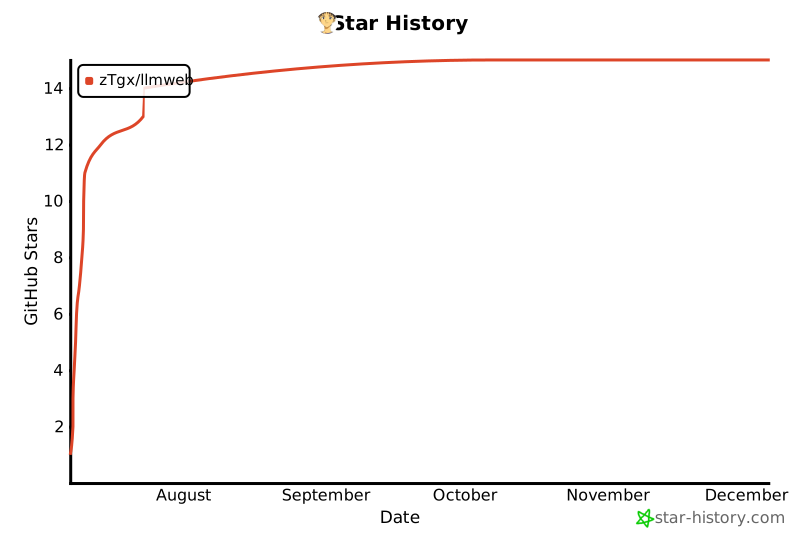
## Star History
[](https://www.star-history.com/#zTgx/llmweb&Date)
## Contributing
We welcome contributions! Please see our CONTRIBUTING.md for more details on how to get started.
## License
This project is licensed under the MIT License - see the `LICENSE` file for details.