# 🐕 Bevy Keith
[](./LICENSE)
[](https://docs.rs/bevy_keith)
[](https://crates.io/crates/bevy_keith)
[](https://github.com/bevyengine/bevy/blob/main/docs/plugins_guidelines.md#main-branch-tracking)
2D graphic library inspired by Piet (📦 [`piet`](https://crates.io/crates/piet)) for the [Bevy game engine](https://bevyengine.org/).
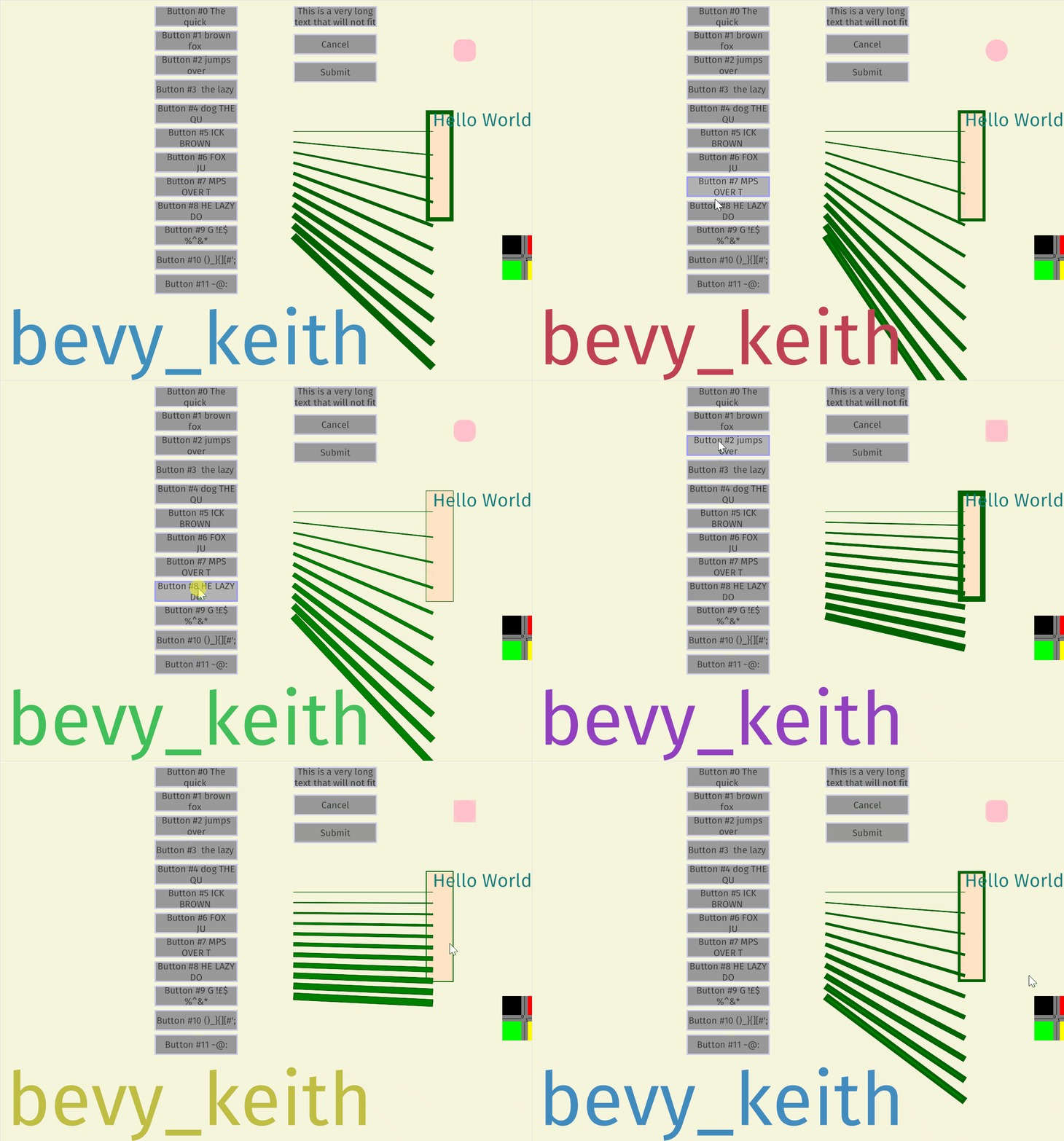
The library uses a custom Signed Distance Field (SDF) renderer, enabling anti-aliased shapes of any scale with very few draw calls (typically, single draw call per canvas). The pipeline renders at physical resolution even with high DPI, for crisp details.
## Usage
Add a dependency to `Cargo.toml`:
```toml
[dependencies]
bevy_keith = "0.1"
```
Add the `KeithPlugin` to your Bevy app:
```rust
App::default()
.add_plugins(DefaultPlugins)
.add_plugins(KeithPlugin);
```
Add a `Canvas` component where you want to draw. If you add the `Canvas` on the same `Entity` as an `OrthographicProjection` component, then the canvas automatically resizes to the full orthographic camera area.
```rust
// Only for initial setup, or if controlled manually
let mut canvas = Canvas::new(Rect {
min: Vec2::splat(-400.),
max: Vec2::splat(100.),
});
// Optionally clear the canvas with a given color before drawing
canvas.background_color = Some(BEIGE.into());
// Spawn on the same Entity as an OrthographicProjection for auto-resize
commands
.spawn_bundle(Camera2dBundle::default())
.insert(canvas);
```
Draw something on the `Canvas` via a `RenderContext`:
```rust
fn run(mut query: Query<&mut Canvas>) {
let mut canvas = query.single_mut();
canvas.clear();
let mut ctx = canvas.render_context();
// Draw a filled rectangle
let brush = ctx.solid_brush(PINK.into());
let rect = Rect {
min: Vec2::ZERO,
max: Vec2::splat(50.),
};
ctx.fill(rect, &brush);
// Draw a text
let font_handle: Handle<Font> = [...]
let text = ctx
.new_layout("Hello World!")
.color(ORANGE_RED.into())
.font(font_handle)
.font_size(24.)
.build();
ctx.draw_text(text, Vec2::ZERO);
// Draw a textured rectangle
let rect = Rect {
min: Vec2::new(100., 150.),
max: Vec2::new(116., 166.),
};
ctx.draw_image(rect, my_res.image.clone());
// Draw some lines
let brush = ctx.solid_brush(GREEN.into());
for i in 0..=10 {
ctx.line(Vec2::new(-200.5, 0.5 + i as f32 * 15.), Vec2::new(0.5, 0.5 + i as f32 * 40.), &brush, 1. + i as f32);
}
}
```
## Features
- [ ] Primitives
- [x] Text
- [x] Axis-aligned rectangle
- [x] Fill
- [x] Stroke
- [x] Rounded corners
- [x] Single line
- [ ] Polyline