1
2
3
4
5
6
7
8
9
10
11
12
13
14
15
16
17
18
19
20
21
22
23
24
25
26
27
28
29
30
31
32
33
34
35
36
37
38
39
40
41
42
43
44
45
46
47
48
49
50
51
52
53
54
55
56
57
58
59
60
61
62
63
64
65
66
67
68
69
70
71
72
73
74
75
76
77
78
79
80
81
82
83
84
85
86
87
88
89
90
91
92
93
94
95
96
97
98
99
100
101
102
103
104
105
106
107
108
109
110
111
112
113
114
115
116
117
118
119
120
121
122
123
124
125
126
127
128
129
130
131
132
133
134
135
136
137
138
139
140
141
142
143
144
145
146
147
148
149
150
151
152
153
154
155
156
157
158
159
160
161
162
163
164
165
166
167
168
169
170
171
172
173
174
175
176
177
178
179
180
181
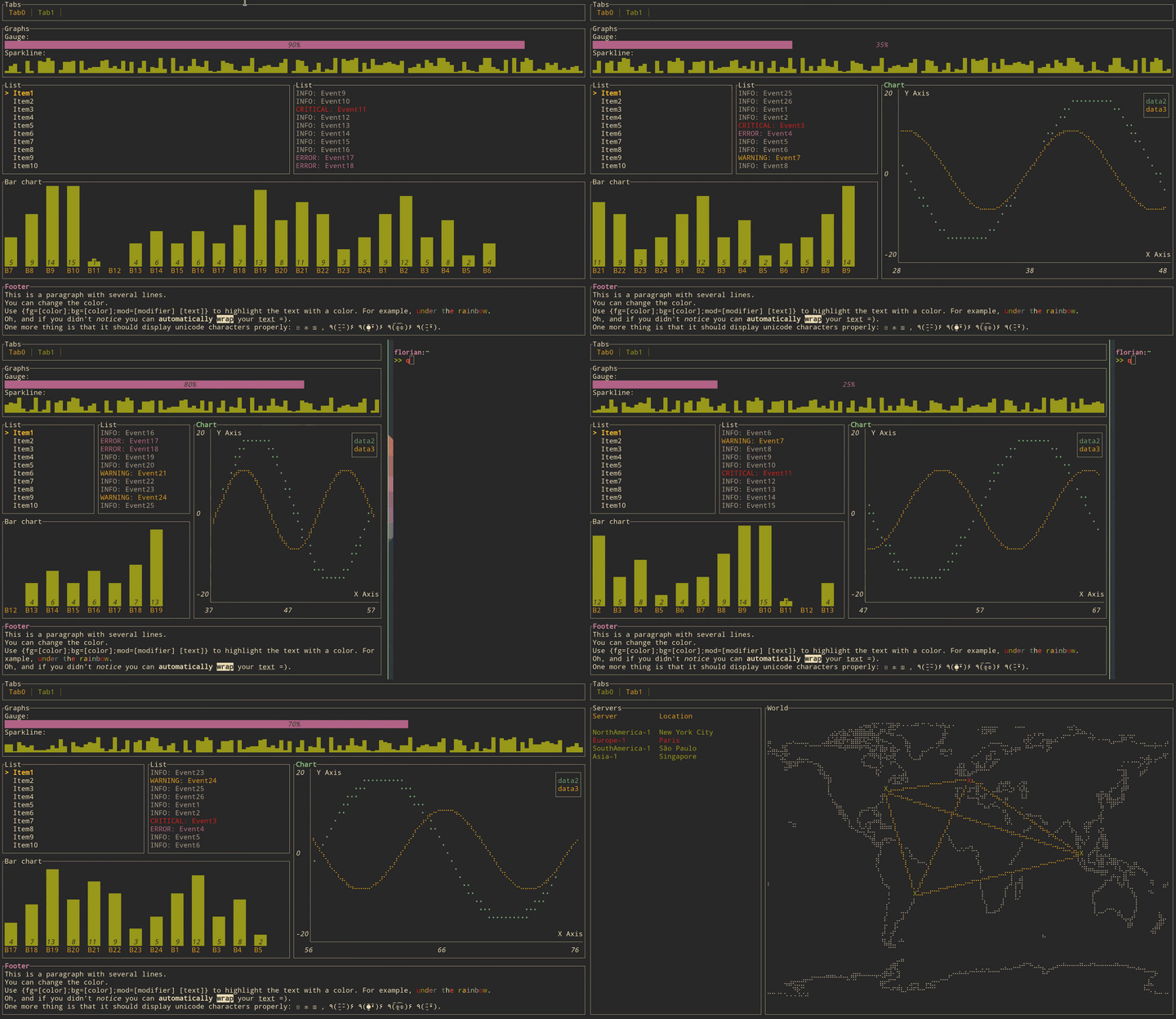
//! [altui-cure](https://altlinux.space/writers/altui/src/branch/devel/altui-core) is a library used to build rich
//! terminal users interfaces and dashboards.
//!
//! 
//!
//! # Get started
//!
//! ## Adding `altui-core` as a dependency
//!
//! Add `altui-core` to your `Cargo.toml`:
//!
//! ```toml
//! [dependencies]
//! altui_core = "0.1"
//! crossterm = "0.29"
//! ```
//!
//! By default, `altui-core` uses the **Crossterm backend**, which works on most
//! platforms (Linux, macOS, Windows) and requires no additional configuration.
//!
//! ### Using a different backend
//!
//! If you want to use another backend (for example, `termion`), disable default
//! features and enable the corresponding backend feature:
//!
//! ```toml
//! [dependencies]
//! termion = "4"
//! altui_core = { version = "0.1", default-features = false, features = ["termion"] }
//! ```
//!
//! The same approach applies to all other available backends.
//!
//! ---
//!
//! ## Creating a terminal (recommended way)
//!
//! The easiest and safest way to initialize a terminal is via [`AltuiInit`].
//! It takes care of:
//!
//! - enabling raw mode
//! - entering the alternate screen
//! - optional mouse support
//! - restoring the terminal on panic
//!
//! ```rust,ignore
//! use std::io;
//! use altui_core::AltuiInit;
//!
//! fn main() -> io::Result<()> {
//! let mut ui = AltuiInit::new(true)? // enable mouse support
//! .set_panic_hook(); // restore terminal on panic
//!
//! ui.run(|terminal| {
//! terminal.draw(|f| {
//! let size = f.size();
//! // draw UI here
//! }).expect("Fail to draw to the terminal");
//! Ok(())
//! })
//! }
//! ```
//!
//! ### Mouse support
//!
//! Mouse input is optional and can be disabled:
//!
//! ```rust,no-run
//! use altui_core::AltuiInit;
//!
//! let mut ui = AltuiInit::new(false);
//! ```
//!
//! ---
//!
//! ## Manual terminal initialization (advanced)
//!
//! If you need full control over terminal initialization, you may construct
//! a [`Terminal`] and backend manually.
//!
//! ```rust
//! use std::io;
//! use altui_core::{backend::CrosstermBackend, Terminal};
//!
//! fn main() -> io::Result<()> {
//! let stdout = io::stdout();
//! let backend = CrosstermBackend::new(stdout);
//! let mut terminal = Terminal::new(backend)?;
//! Ok(())
//! }
//! ```
//!
//! ⚠️ When using this approach, you are responsible for:
//!
//! - enabling and disabling raw mode
//! - entering and leaving the alternate screen
//! - restoring cursor visibility on exit or panic
//!
//! ### See also
//!
//! - [`AltuiInit`]
//! - [`Terminal`]
//! - [`backend::Backend`]
//!
//! ---
//!
//! ## Building a User Interface (UI)
//!
//! User interfaces in `altui-core` are composed of widgets implementing the
//! [`Widget`] trait.
//!
//! Widgets use a builder-style API and are rendered via
//! [`Frame::render_widget`].
//!
//! ```rust,ignore
//! use altui_core::{
//! widgets::{Block, Borders},
//! };
//!
//! terminal.draw(|f| {
//! let size = f.size();
//! let mut block = Block::default()
//! .title("Block")
//! .borders(Borders::ALL);
//! f.render_widget(&mut block, size);
//! })?;
//! ```
//!
//! ---
//!
//! ## Layout
//!
//! Layout management is handled by [`Layout`], which allows building responsive
//! terminal UIs by splitting available space into regions.
//!
//! The example below creates a **centered block** that occupies **80% of the
//! terminal width and 80% of the terminal height**. The remaining space is
//! evenly distributed around the block, keeping it centered both vertically
//! and horizontally.
//!
//! This pattern is useful for dialogs, popups, and other UI elements that should
//! stay visually centered regardless of terminal size.
//!
//! ```rust
//! use altui_core::{
//! layout::{Constraint, Layout, Flex},
//! widgets::{Block, Borders},
//! };
//!
//! fn ui<B: altui_core::backend::Backend>(f: &mut altui_core::Frame<B>) {
//! let chunks = Layout::vertical([Constraint::Percentage(80)])
//! .flex(Flex::Center)
//! .cross_size(Constraint::Percentage(80))
//! .cross_flex(Flex::Center)
//! .margin(1)
//! .split(f.size());
//!
//! let mut block = Block::default()
//! .title("Header")
//! .borders(Borders::ALL);
//! f.render_widget(&mut block, chunks[0]);
//! }
//! ```
//!
//! Layouts can be nested to create complex, adaptive terminal interfaces.
//! Unused layout regions may be left empty to create spacing.
pub use AltuiInit;
pub use ;